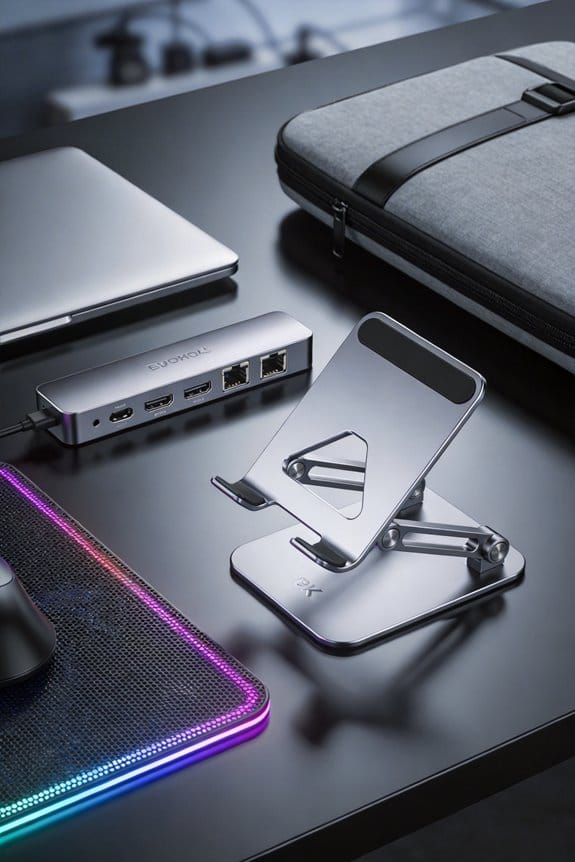
We recommend a 20 000 mAh power bank that keeps a laptop running up to 12 hours and a phone for 30 hours, plus a dual‑port USB‑C charger and a clip‑on surge‑protected strip for extra outlets. Pair that with a compact, adjustable stool that holds your knees at 90 degrees, a lightweight laptop stand at eye level, a wrist‑rest pad, and a foldable desk mat for comfort. Add a digital espresso scale, a timer, and a handheld thermometer to brew consistent coffee, and finish with magnetic cable clips, a zip‑top pouch, and a silicone crumb mat for a tidy workspace. If you keep going, you’ll discover more tricks for focus and eco‑friendly drinkware.
Key Takeaways
- High‑capacity portable power (20 000 mAh) with dual USB‑C ports and a clip‑on surge‑protected strip keeps laptop, tablet, and phone running all day.
- Ergonomic accessories—adjustable stool, lightweight laptop stand, wrist rest, and foldable desk mat—provide comfort and proper posture on café tables.
- Precision coffee tools—a digital espresso scale, timer, portion scale, and handheld thermometer—ensure consistent brew ratios and milk temperature for quality breaks.
- Compact organization items—zip‑top pouch, magnetic cable clips, fold‑up laptop stand with slots, and silicone crumb mat—keep cords, pens, and snacks tidy and within reach.
- Noise‑cancelling headphones with long battery life and built‑in mic, plus eco‑friendly bamboo‑lined mug and stainless‑steel straw, support focus and sustainability.
Keep Devices Charged and Connected All Day for a Coffee‑Shop Workstation
Ever wonder why a coffee‑shop workstation can feel like a power‑drain? We’ve learned a solid charging setup can change that. First, we bring a 20 000 mAh portable power bank; it keeps a laptop running for up to 12 hours and a phone topped off for 30 hours. Next, we use a dual‑port USB‑C charger that feeds the laptop and a tablet simultaneously, saving us the hunt for extra outlets. A small, clip‑on power strip with surge protection adds a third outlet for a mouse or headphones, so no device gets left out. We keep the cords tidy with a Velcro strap, which prevents tangles on the table. It’s a simple routine, but it makes the whole day flow smoother.
Choose Ergonomic Gear for Any Coffee‑Shop Table

After we’ve got our devices powered up, it’s time to think about how we sit and type at a coffee‑shop table. We start with ergonomic seating— a compact, adjust‑ready stool that lets our knees stay at a 90‑degree angle, reducing back strain while we sip. Pair that with a portable charging pad that slides under the table, keeping the phone, tablet, and laptop topped up without hunting for outlets. A lightweight laptop stand lifts the screen to eye level, while a small wrist rest cushions the keyboard, keeping hands relaxed. Finally, a foldable desk mat gives a stable surface on any tabletop, preventing wobble and protecting the table. These pieces work together, simple and effective, turning any café into a comfortable workspace.
Select Precise Coffee‑Making Tools for Consistency

How can we keep our coffee tasting the same every time we work at a café? We start with precision brewing tools that lock in flavor. A digital espresso scale lets us hit exact gram targets, say 18 g of coffee for a 36 g shot, and a timer keeps the brew time at 25 seconds. Consistent ratios matter, so we use a portion scale for water and coffee, measuring 1 : 2 or 1 : 2.5 by weight, depending on the bean. A small handheld thermometer checks milk at 65 °C for latte art, while a compact tamper gives uniform pressure. These gadgets fit in a laptop bag, cost under $50 each, and save us from guesswork. (We’re not coffee scientists, just coffee lovers.)
Tidy up Your Coffee‑Shop Workstation With Compact Accessories

Where do you keep your coffee‑shop desk from turning into a cluttered mess? We start with a small, zip‑top pouch that fits under the table, perfect for pens, sticky notes, and a spare charger. Next, we add a thin, magnetic cable clip that snaps onto the side of the laptop, keeping the charger and mouse cord tidy; this is our go‑to cable management trick. A fold‑up laptop stand with built‑in slots holds a notebook and a power bank, giving us compact storage without sacrificing space. Finally, a tiny silicone mat catches crumbs and spills, and it rolls up flat when we’re done. These simple tools keep our workspace neat, let us focus, and still look sleek.
Use Noise‑Cancelling Headphones for Focus

Ever notice how the clatter of espresso machines and chatter can drown out your thoughts? We’ve tried a few tricks, but a solid pair of noise cancelling outside noises is the real game‑changer. When we pop them on, the hum of the grinder fades, and we slip into focus enhancing sessions that last 30‑45 minutes, perfect for a Pomodoro sprint. The battery lasts up to 20 hours, so we won’t scramble for a charger mid‑day, and the built‑in mic lets us jump on calls without losing clarity. A lightweight design means they sit comfortably on our heads, even when we’re hunched over a laptop. Trust us, they’re a small investment that pays off in steady productivity.
Eco‑Friendly Drinkware and Cleaning Items for a Clean Workstation
Ever notice how a simple cup can make a coffee‑shop desk feel greener and cleaner? We bring our own bamboo‑lined mug and a stainless‑steel straw, turning every sip into a tiny act of beverage sustainability. The mug is an eco friendly reusable steward that holds up to 350 ml, fits in most cup holders, and keeps coffee hot for 45 minutes, so we skip disposable cups altogether. We keep a small pouch of cleaning supplies—micro‑fiber cloth, biodegradable wipes, and a travel‑size spray—so spills disappear fast and the workspace stays tidy. These items cost under $30 total, last months, and cut waste dramatically, making our desk feel organized and responsible without any fuss.
Frequently Asked Questions
Can I Secure My Laptop on a Coffee‑Shop Table Without a Stand?
We can secure laptop laptop on a coffee‑shop table using a non‑slip pad, a cable lock, and a small weighted base, respecting public workspace etiquette while keeping your device stable and safe.
How Do I Protect My Headphones From Accidental Spills?
We’ll guard our headphones with a rugged protective case, turning every latte splash into a harmless drizzle. Think spill‑prevention magic: sealed ports, silicone sleeves, and a tiny umbrella‑like cover that laughs at accidents.
What’s the Best Way to Organize Cables on a Small Tabletop?
We recommend using a slim cable‑clip strip and Velcro ties to keep cords tidy; this supports small desk ergonomics, prevents tangles, and lets you quickly re‑arrange devices without clutter.
Are Reusable Straws Allowed in All Coffee‑Shop Environments?
We’ve found most cafés welcome reusable straws, but we still check each shop’s straw policies and follow public eating etiquette—cleaning up, avoiding spills, and respecting any local restrictions.
Do Portable Power Banks Interfere With Wi‑Fi Signals?
We’re sure they don’t wreck Wi‑Fi—portable power banks barely nudge signals, like a whisper in a hurricane. In practice, they coexist peacefully, so you can charge and browse without interference.