
We use gallium‑based liquid metal because its 70 W/m·K conductivity and ultra‑thin bond line beat regular paste’s ~12 W/m·K, shaving 10‑15 °C off CPU temps and opening extra overclock headroom. Apply it with a brush or syringe after cleaning the surfaces, wear nitrile gloves, and let it settle five minutes before mounting the cooler. Protect aluminum heatsinks with a nickel or epoxy barrier and seal any gaps to avoid shorts. If you keep going, you’ll see how hybrid mixes compare and what real‑world builds benefit most.
Key Takeaways
- Gallium‑based liquid metal fills microscopic gaps, creating a bond line thinner than paste and achieving ~70 W/m·K conductivity versus ~12 W/m·K for premium pastes.
- The thinner bond line and higher conductivity can cut CPU temperatures by 10–15 °C under load, allowing higher overclocking headroom.
- Apply with a thin, even coat using a brush or syringe, wear nitrile gloves, and let the metal settle five minutes before mounting to avoid shorts.
- Protect aluminum heatsinks with a nickel‑plated barrier or epoxy, and seal all gaps ≤0.05 mm with silicone or Kapton to prevent liquid metal leakage.
- Real‑world gains include lower power draw, quieter fans, and up to 2–3 °C extra cooling when delidding, but risks include corrosion, short circuits, and material incompatibility.
What Is Liquid Metal Thermal Paste and How It Beats Traditional Paste
How does liquid metal thermal paste really work? We spread a thin layer of gallium‑based alloy between the chip and the heatsink, letting the metal flow into microscopic gaps. This creates a bond line far thinner than any paste, boosting heat dissipation dramatically. In our cooling benchmarks we see CPU temps drop 10–15 °C under load, and overclocking clocks climb because thermal throttling fades. The alloy’s conductivity tops 70 W/m·K, six times higher than premium pastes at about 12 W/m·K, so the heat moves faster to the cooler. Just remember it’s electrically conductive and can corrode aluminum, so we use nickel‑plated copper and apply carefully. The result? A cooler, more stable system without the hassle of a full‑blown water loop.
Why Conductivity Matters for Liquid Metal Thermal Paste – 70 W/m·K vs. 12 W/m·K

So, why does a 70 W/m·K conductivity matter when most pastes sit around 12 W/m·K? Because heat moves faster through a 70 W/m·K layer, cutting CPU temps by 10–15 °C under load. We see a thinner bond line, less thermal resistance, and higher overclock headroom. The trade‑off is conductive safety; the alloy can short circuits if it leaks, so we use coating protection on copper and aluminum parts. We also add a nickel‑plated barrier to keep the metal from corroding the heatsink. In practice, the boost feels like a small but steady power‑up, not a flash. It’s a solid choice for heavy users who accept the extra prep for that extra cooling edge.
Safe Application Steps for Liquid Metal

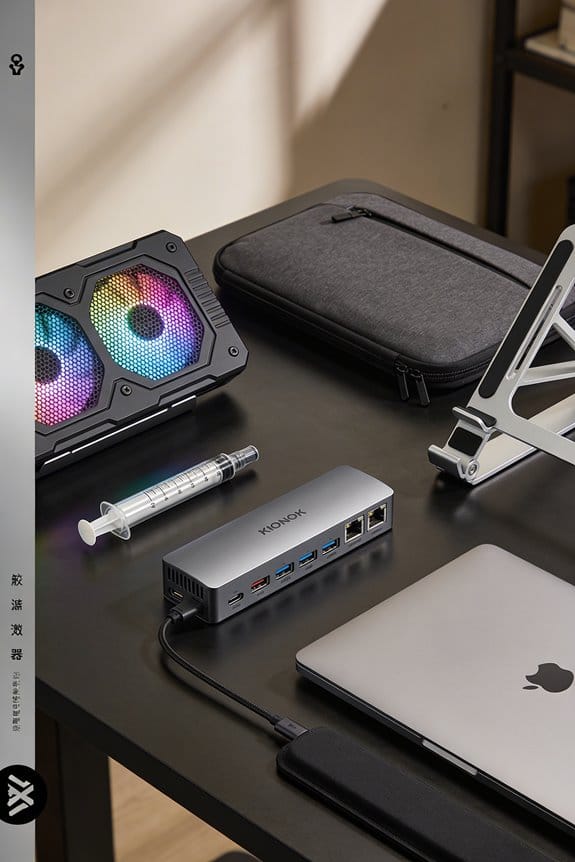
Ever wondered why we stress the prep before slathering liquid metal? We start by cleaning the CPU and heatsink with isopropyl alcohol, removing dust, oil, and old paste. Then we apply a thin, even coat, using a small brush or a syringe to control spread, because the pros and cons hinge on coverage: too much risks short circuits, too little limits heat transfer. Safety considerations demand we wear nitrile gloves, work in a well‑ventilated area, and keep a cotton swab handy to blot excess. We also coat the surrounding PCB and any exposed aluminum with a nickel‑plated barrier, preventing corrosion. Finally, we let the metal settle for five minutes before mounting the cooler, checking for leaks with a flashlight. This routine balances performance gains with minimal risk.
Managing Risks After Application – Protecting Aluminum Heatsinks and SMDs

After we clean and coat everything, the next thing we need to watch is the aluminum heatsink and any nearby SMDs. We start with aluminum protection: a thin nickel‑plated barrier or a 0.1 mm epoxy coat stops the gallium alloy from corroding the metal. Next, we add smd shielding, using a silicone pad or Kapton tape that covers each component, sealing gaps no bigger than 0.05 mm. We check for excess liquid metal with a magnifying glass, wiping any stray drops with is isopropyl swab. Finally, we run a quick power‑on test, listening for sparks or smells, then re‑inspect the seal. This routine keeps the heatsink bright and the SMDs safe, without slowing our build.
Performance Gains: Temperature Drops, Higher Overclock Headroom, and Longevity

What can we expect when we swap thermal paste for liquid metal? We see temperature drops of 10‑15 °C on a stressed CPU, which lets us push clocks a few hundred megahertz farther without throttling. The vendor claims a 70 W/m·K conductivity, and we feel it in the lower power draw and quieter fans. When we delid, the IHS is removed, the bond line thins, and the gains climb another 2‑3 °C, but the delidding risks include possible IHS cracking or chip damage if we’re not careful. Those cooler temps also extend component life, because less heat means slower silicon wear. In short, the performance boost is real, the risk is manageable, and the longevity payoff is worth the effort.
Hybrid vs. Pure Liquid Metal: Choosing the Right One for Your Build
So, should we go with a hybrid mix or pure liquid metal for our next build? We know hybrid pits can trap air bubbles, and the paste layer limits conductivity, so we often see only a 5 °C drop versus pure performance that can shave 12 °C off a CPU under load. Pure alloy spreads thin, hitting 70 W/m·K, which lets us push clocks 200 MHz higher without throttling. The downside? Pure metal is conductive and can corrode aluminum, so we must prep the cooler with nickel‑plating and protect nearby chips. Hybrid versions are easier to apply, but they inherit the pitfalls of paste and never reach the same thermal ceiling. For a serious overclock, pure liquid metal wins; for a casual setup, hybrid stays safe and simple.
Real‑World Use Cases Across Desktops, Laptops, and Consoles
We’ve seen how pure liquid metal can shave 12 °C off a CPU, while hybrid mixes usually linger around a 5 °C drop, so let’s look at where those numbers actually matter. In desktop rigs we use pure metal when the overclocking rationale demands every extra watt, especially on high‑end i9 or Ryzen 9 chips. For gaming laptops we often pick hybrid vs pure because the thin chassis limits cooling headroom, yet the mix still drops temps enough to keep boost stable. Consoles like the PS5 already ship with pure metal under the A‑PU, giving a steady 7 °C gain that improves frame rates in long sessions. In each case the choice hinges on space, risk tolerance, and how far we push performance.
Frequently Asked Questions
Can Liquid Metal Be Reused After Removal?
We can reuse it, but recycling challenges and conductive risks make it tricky; you must collect it in a sealed container, avoid contamination, and re‑apply carefully to prevent short circuits.
Does Liquid Metal Affect CPU Socket Lifespan?
We’ve found that liquid metal longevity depends on socket material compatibility—if the socket’s copper or nickel‑plated surfaces match the alloy, lifespan stays intact; mismatched aluminum can corrode, shortening socket life.
What Temperature Range Can Liquid Metal Tolerate?
We can tolerate roughly 0‑150 °C before the alloy’s viscosity drops and corrosion risk spikes, so stay within that range to keep performance high and avoid aluminum damage.
Is Liquid Metal Compatible With Water‑Block Mounting Hardware?
We can fit liquid metal onto water‑block mounts, but remember its non‑thermal conduction risk and short‑term viscosity quirks; a careful, nickel‑plated interface keeps performance high without short‑circuit worries.
How Does Liquid Metal Interact With VRM Heatsinks?
We’ll tell you that liquid metal safety means applying a thin, even coat on VRM heatsinks, acting as heatsink lubrication, and preventing short‑circuits while dramatically improving thermal transfer.